
How to require payment for a booking

  1. Connect Stripe to your account

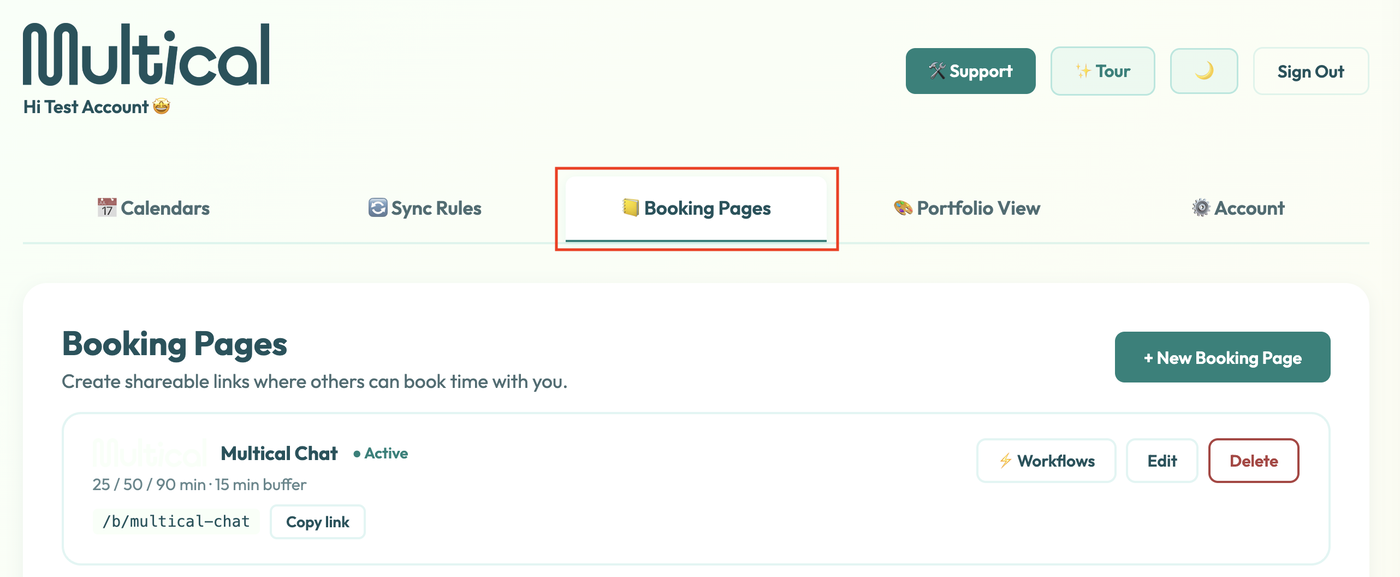
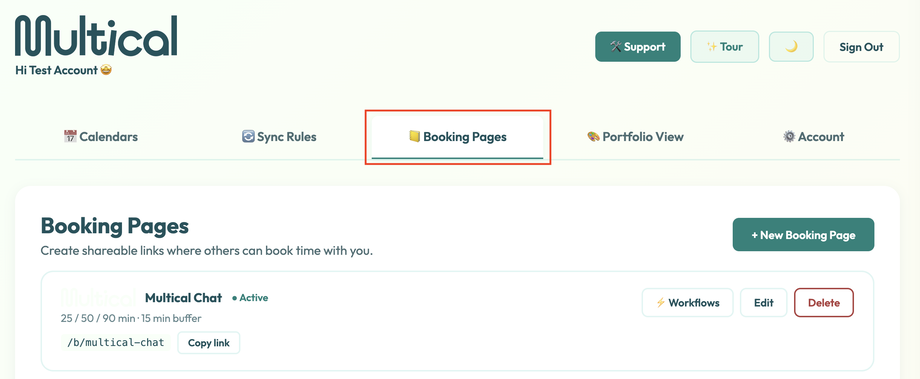
  2. Navigate to the Booking Pages tab
    Screenshot 2026-08-24 at 3.25.45 PM.png
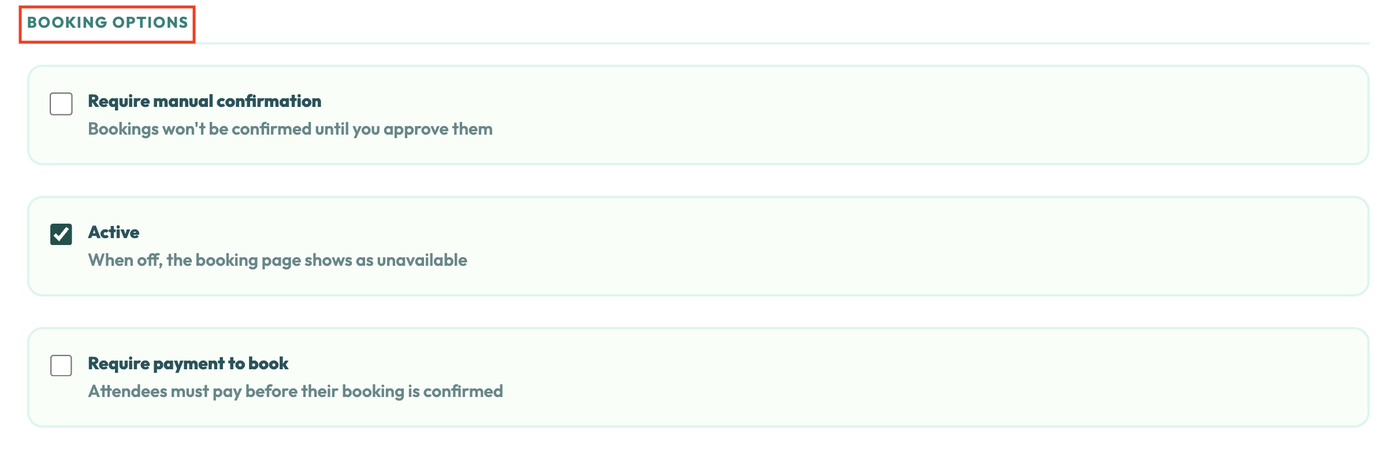
  3. Scroll down to the Booking Options section
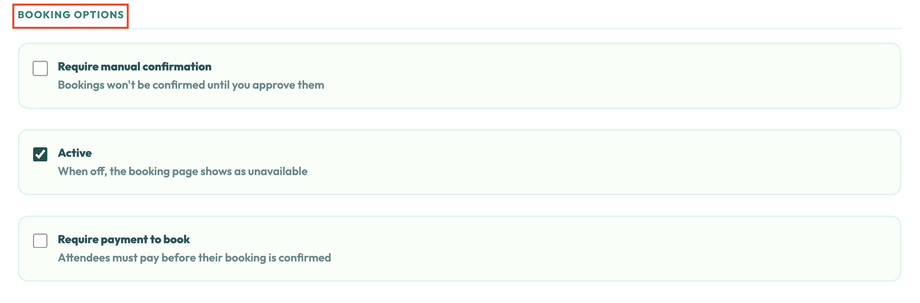
    Screenshot 2026-08-24 at 3.26.17 PM.png
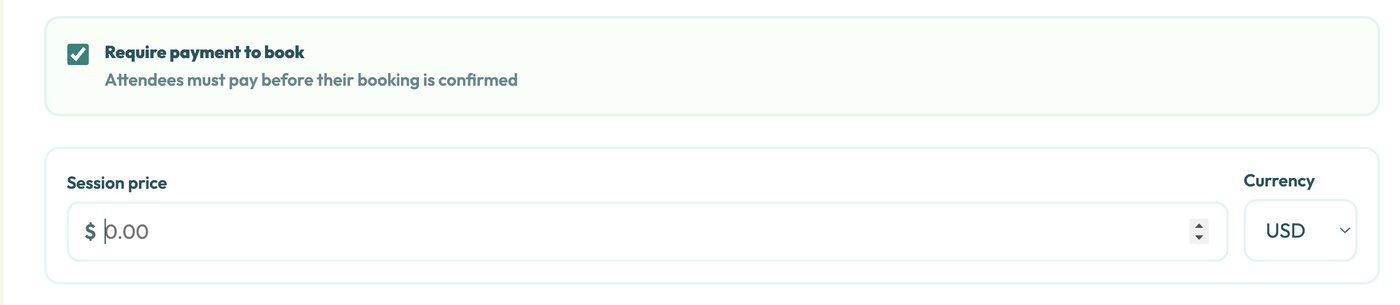
  4. Check “Require payment to book” and set your price
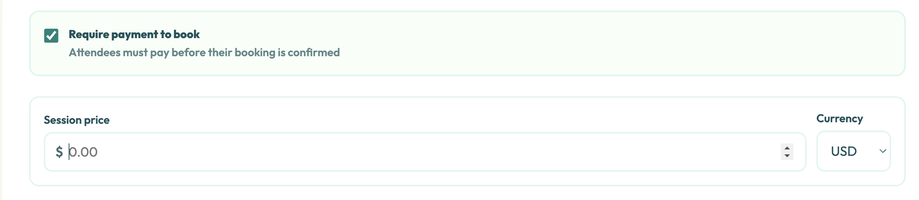
    Screenshot 2026-08-24 at 3.26.41 PM.png
  5. Click “Save booking page”

    Screenshot 2026-08-24 at 3.32.10 PM.png

When clients complete your booking form, they’ll be redirected to your Stripe account before they can confirm booking.
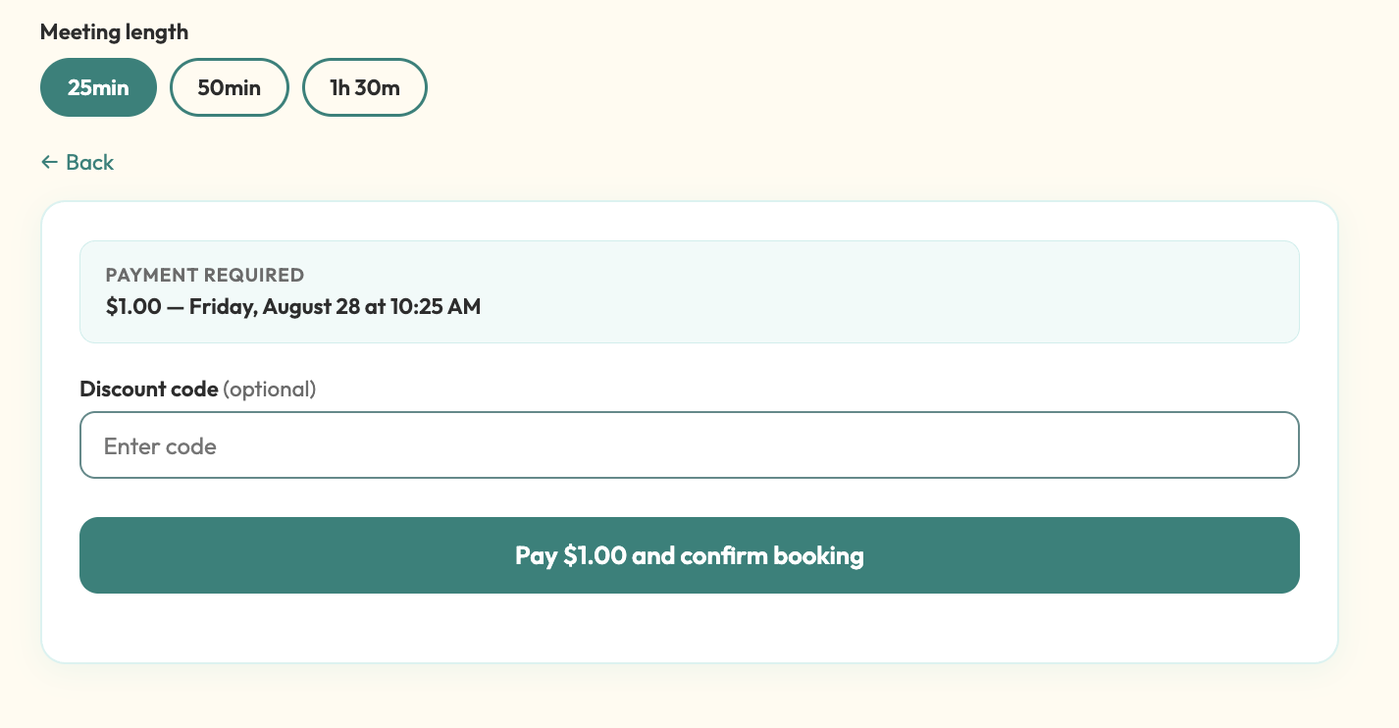
Screenshot 2026-08-24 at 3.27.49 PM.png


Was this article helpful?