

If you manage Microsoft 365 for your organization, you may need to approve Multical before your team members can connect their Microsoft calendars.
Multical will not appear in your admin portal directory by default. This is now standard behavior for third-party Microsoft apps as Microsoft has paused adding new apps to the app gallery indefinitely. Approval takes less than a minute and does not require signing up for Multical or incurring any cost.
Who needs to do this
A Microsoft 365 global admin or a user with the Application Administrator role.
Permissions Multical requests
Permission | Reason |
|---|---|
Sign in and read user profile | To identify the connected account by name and email |
Have full access to user calendars | To read and sync events across calendars |
Maintain access to data you have given it access to | To keep calendars synced in the background without requiring you to re-authorize |
Multical does not access email, files, or any other Microsoft data. You can read more about permissions and security here.
Frequently asked questions
Do I need to sign up for Multical to approve it? No. Visiting the approval link above and clicking Accept is all that's needed.
Will approving this give Multical access to everyone's calendar? No. Each individual user must still connect their own calendar by signing in to Multical and authorizing it themselves. Approving the app simply allows users in your organization to do that.
Can I revoke access later? Yes. Go to Microsoft Entra admin center > Enterprise applications, find Multical, and delete it to revoke all access.
Steps
Make sure you are signed in to your Microsoft account with admin permissions.
Visit the following link:
https://app.usemultical.com/api/auth/microsoft/admin-consentMicrosoft will show you a permissions review screen. Click Accept.
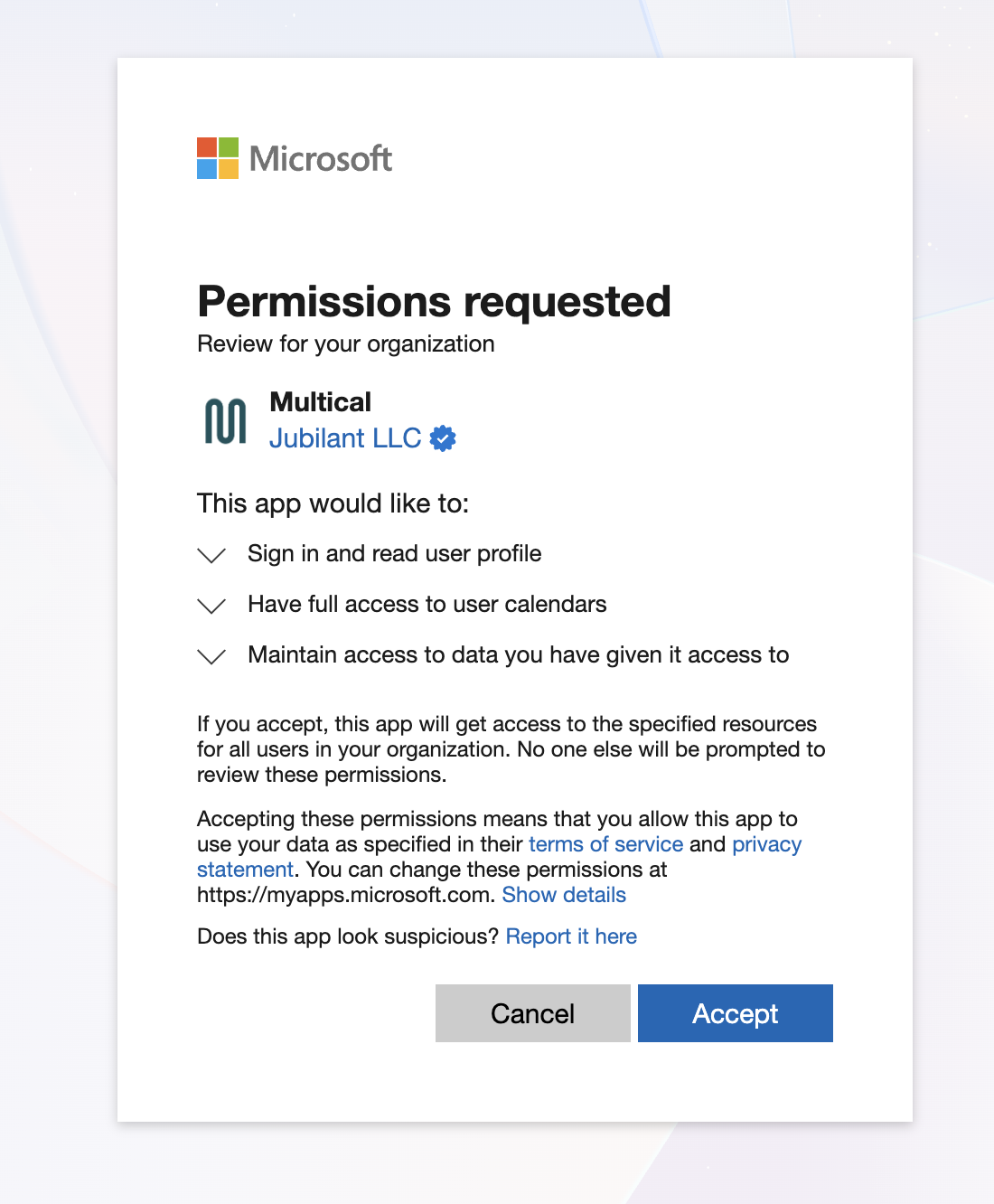
You'll be redirected back to Multical with a confirmation message. Your team members can now connect their Microsoft calendars.
Still having trouble?
Contact us at [email protected] and we'll help you through it.